DNS: The GPS of the Internet City
Why your website is a house, your domain is the address, and the MX record is your mailman.

DNS: The GPS of the Internet (and why it matters)
How does a browser know where a website lives?
Seriously, when you type google.com, how does your computer know which server in the world to connect to? Your computer is actually pretty dumb. It doesn't understand names like "Google" or "Facebook." It only understands numbers. IP Addresses.
So, we need a translator. Something that takes the human name (google.com) and swaps it for the machine coordinates (142.250.183.14).
That system is DNS (Domain Name System).
Most people call it the "Phonebook of the Internet." And sure, that's fine. But I prefer to think of your domain as a Plot of Land in a massive, chaotic city. And DNS is the City Planning Department that tells people where to go.
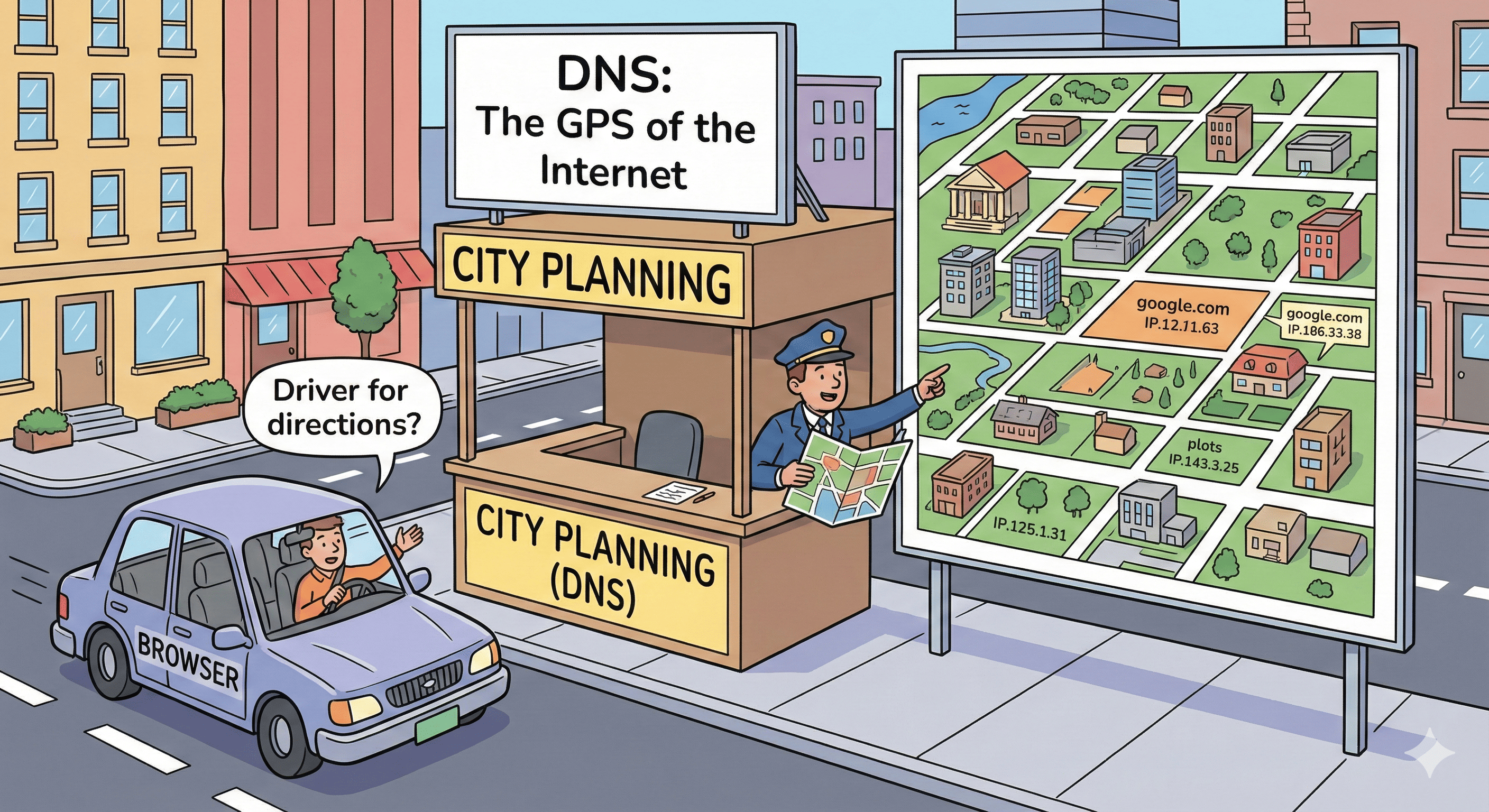
1. The A Record (The Address)
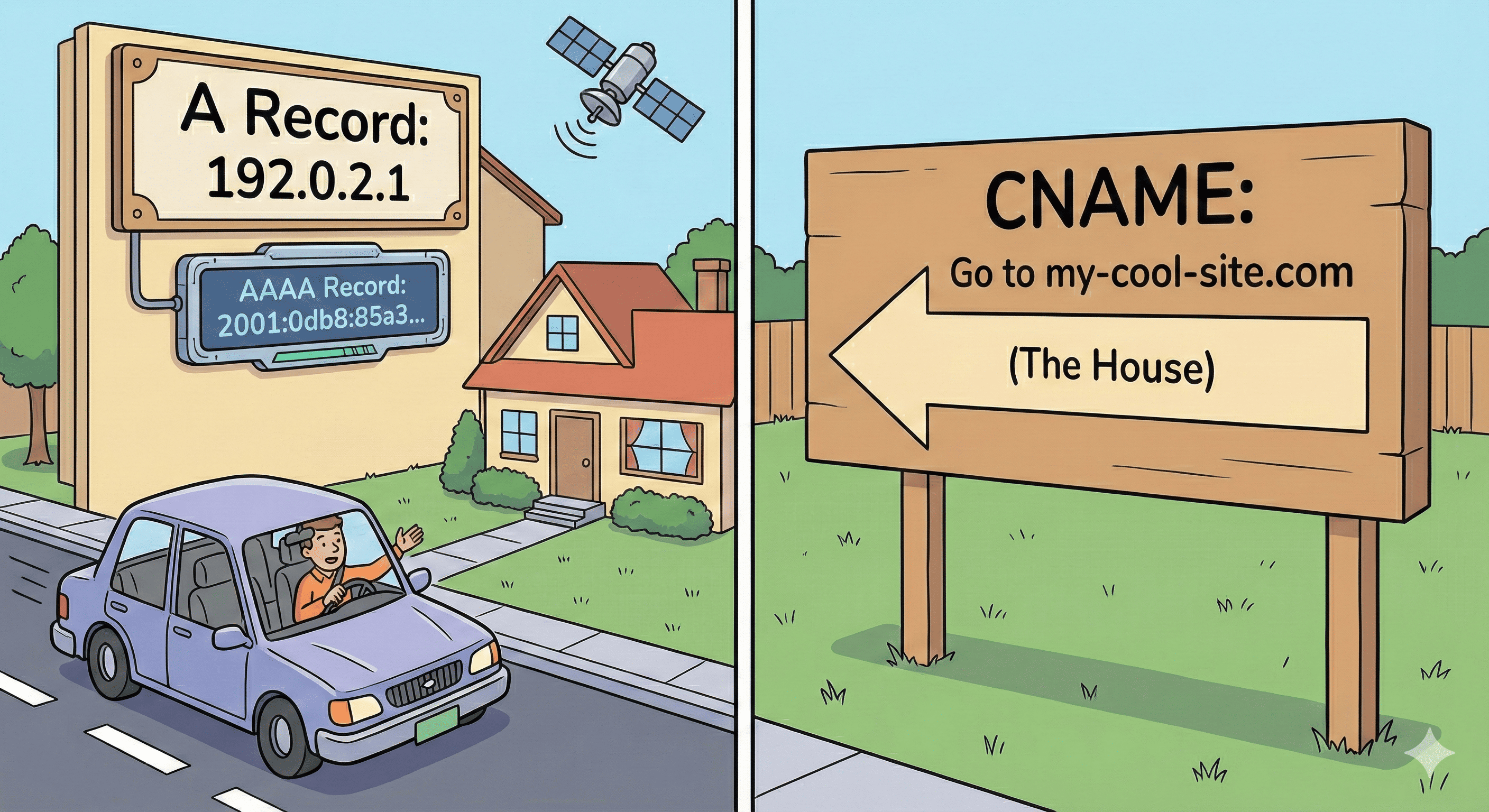
This is the most basic, bread-and-butter record. The "A" stands for Address.
Imagine you built a house. The A Record is the specific GPS coordinate of that house.
Domain:
my-cool-site.comValue:
192.0.2.1(IPv4 Address)
If you don't have an A Record, your house exists, but it is essentially invisible. No one can find it on the map. You need this to point your name to the actual server computer.
2. The AAAA Record (The Future Address)
Okay, this one scares people, but it's simple. The internet is running out of those old 192.x.x.x numbers (IPv4). So, we invented a new system called IPv6, which looks like a long mess of letters and numbers: 2001:0db8:85a3....
An AAAA Record (Quad-A) is just an A Record but for these new, longer addresses. Think of it like this:
A Record: The old street address (123 Main St).
AAAA Record: The precise latitude/longitude coordinates for modern GPS.
You don't always need it yet, but it's good to have.
3. The CNAME Record (The "Alias" Sign)
CNAME stands for Canonical Name. This is where beginners get confused.
Let's say you have your main house at my-cool-site.com. But you also bought www.my-cool-site.com (with the www).
Do you want to manage TWO separate GPS coordinates? No. That sounds annoying. If you move houses, you'd have to update both records. Instead, you put a Sign on the www lot that just says: "Go to https://www.google.com/url?sa=E&source=gmail&q=my-cool-site.com."
Host:
wwwPoints to:
my-cool-site.com
It’s a redirect. It doesn't have an IP address of its own; it just points to another name that does.
4. The MX Record (The Mailbox)
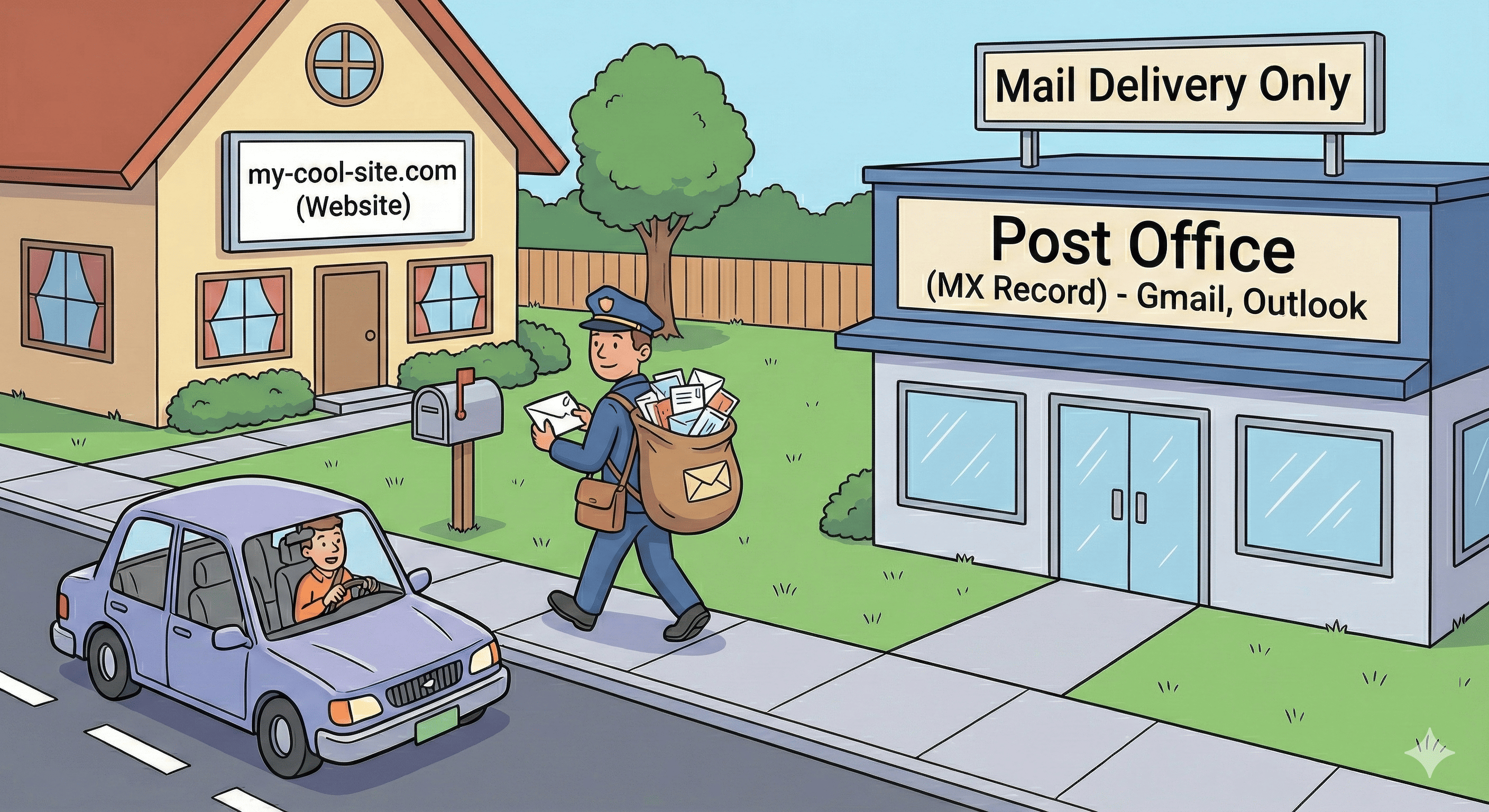
MX stands for Mail Exchange. This is strictly for email.
In our city analogy, your house (website) might be at 123 Main St. But maybe you don't want your mail delivered to your house. Maybe you want it delivered to a giant secure post office down the street (like Gmail or Outlook).
The MX record tells the mailman: "Don't drop letters at the house! Take them to the Post Office at this address instead."
If you mess this up, your website will work fine, but your emails will vanish into the void. i have done this. It is not fun.
5. The TXT Record (The Sticky Note)
TXT stands for Text. This record doesn't do anything for navigation. It doesn't tell you where to go.
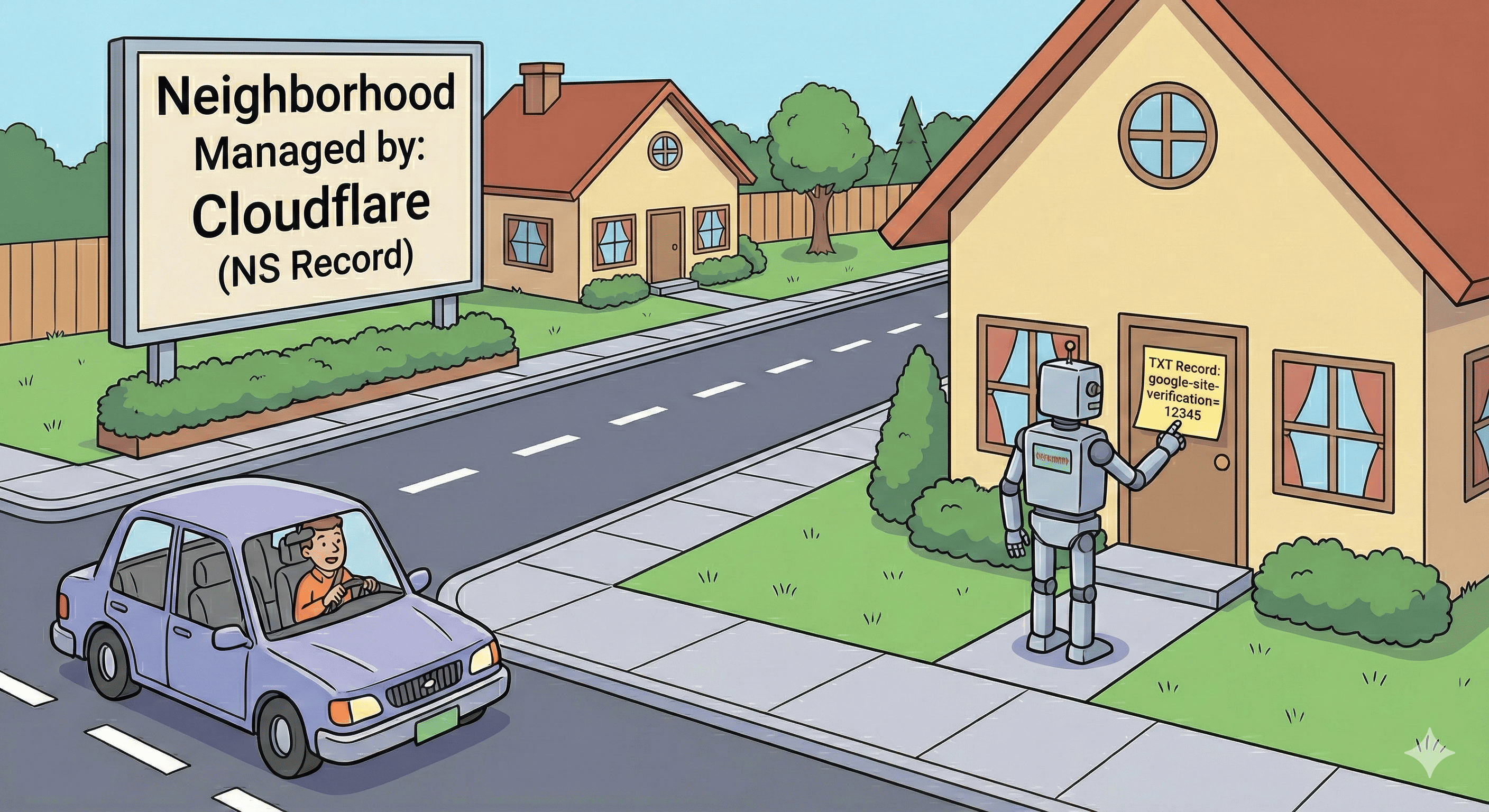
It’s literally just a Sticky Note you leave on your front door. Why? Usually for verification. Google might say, "Hey, prove you own this house." You ask, "How?" Google says, "Stick a note on the door that says 'google-site-verification=12345'."
When Google's robot drives by, it sees the note and says, "Yep, that's Janhvi's house. Verified."
6. The NS Record (The Property Manager)
NS stands for Name Server. This is the big boss.
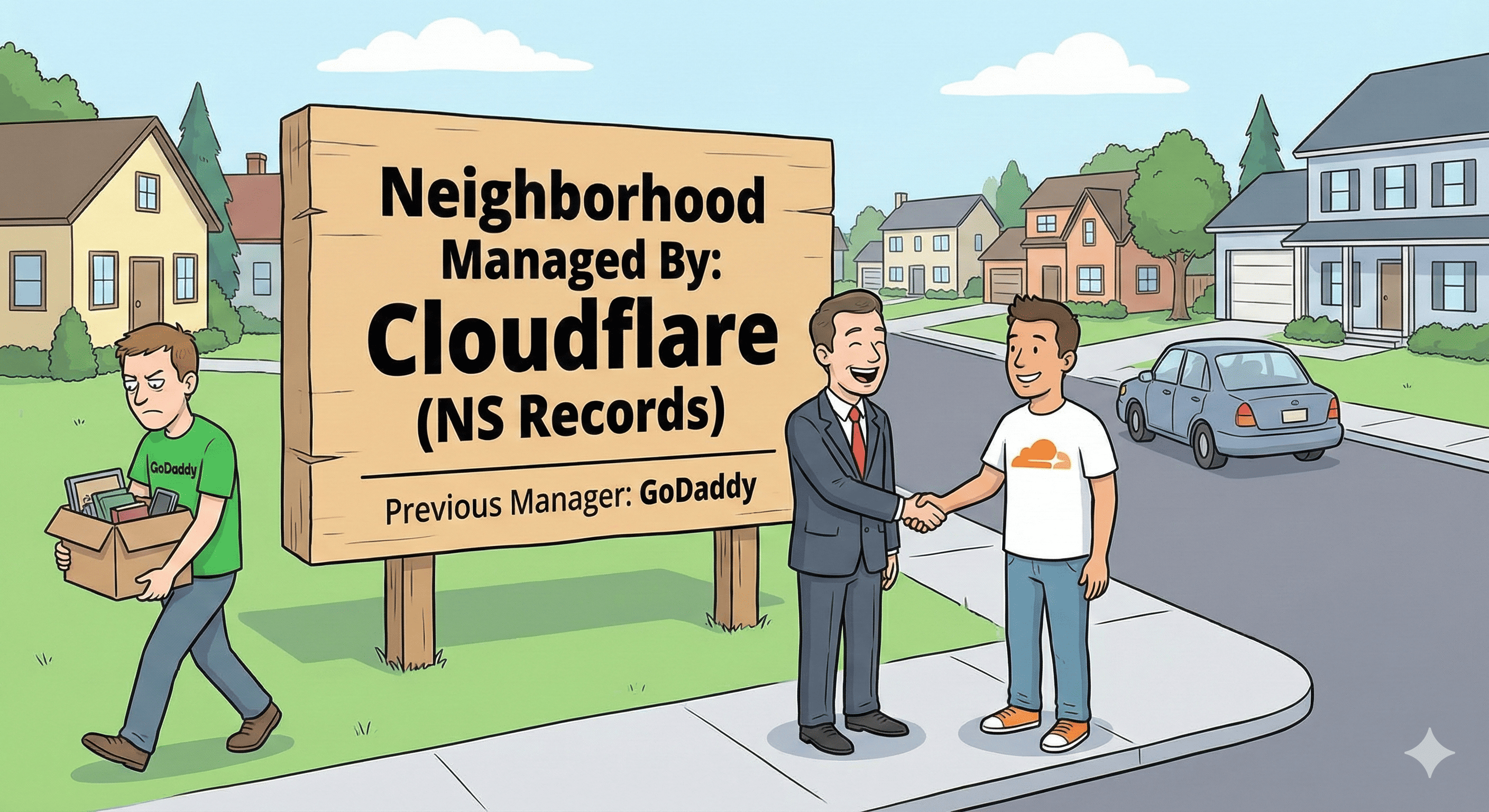
Who manages your list of records? Is it GoDaddy? Cloudflare? AWS? The NS Record is the sign at the entrance of the neighborhood that says: "Managed by Cloudflare."
It tells the rest of the internet which specific phonebook contains your details. If you change your NS records, you are firing your manager and hiring a new one (like moving from GoDaddy to AWS).
How it all works together
So, for one single website, your setup might look like this:
NS: "Go ask Cloudflare for details."
A: "The website is at 192.0.2.1."
CNAME: "If they type 'www', just send them to the main one."
MX: "Send emails to Google."
TXT: "Note to self: SPF verification code."
Common Mistakes (Don't do these)
Pointing a CNAME to an IP: You can't do that. CNAME points to a Name. A Record points to an IP.
Forgetting the MX: You launch your site, everything looks great, and then your client screams because they haven't received emails for 3 days.
Waiting: DNS takes time to update (called Propagation). Sometimes you change a record and nothing happens for 4 hours. Stop refreshing. Go for a walk. It's not broken, it's just slow.
Final Thoughts
So yeah, that's DNS. It's the invisible glue holding this messy internet city together.
It feels overwhelming when you look at the raw list of records in your dashboard, but just remember the map. A Record is the house, CNAME is the sign, MX is the mailman, and TXT is the sticky note. If you keep that in your head, you won't break anything. (Probably).
Stay tuned though... I've got more deep dives coming soon.
Comments
Join the discussionNo comments yet. Be the first to comment.